> ## Documentation Index
> Fetch the complete documentation index at: https://docs.sundaypyjamas.com/llms.txt
> Use this file to discover all available pages before exploring further.
# A Tour of Your Workspace
> A calm walk around the AI Suite platform so you always know where to click.
## The big picture
When you log in, the screen has three main parts. Once you know these three, you'll never feel lost.
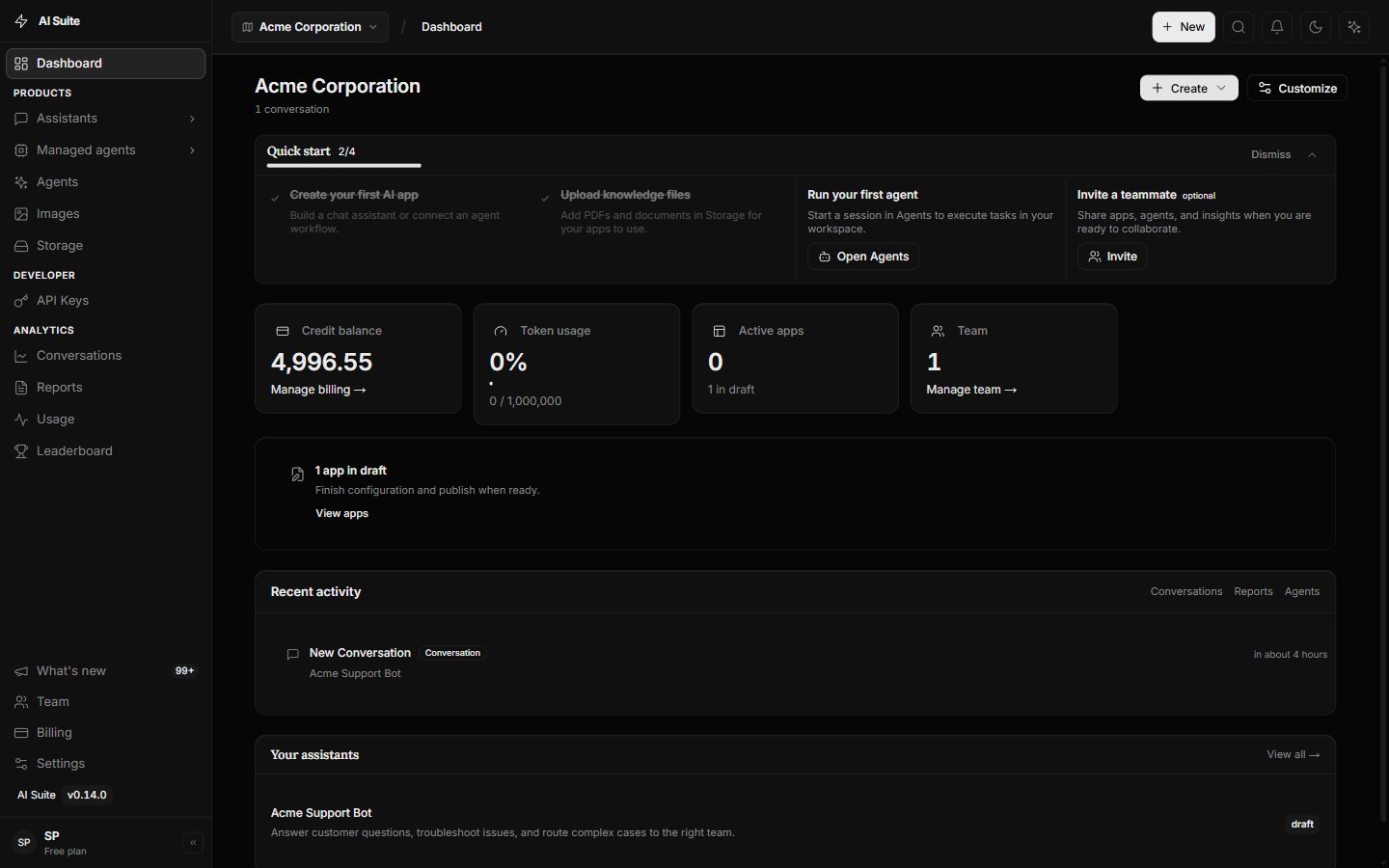 This is how you move around the platform. Each item opens a different area. **Agents** is where you'll spend most of your time.
Shows where you are right now, and holds your profile, notifications, and workspace switcher on the right.
This is where the work happens — your Agent chats, files, settings, and more.
## What's in the left menu?
Here's what each item does, in plain words. Don't memorize it — just know it's here.
| Menu item | What it's for |
| ---------------- | ---------------------------------------------------------------------------------------- |
| **Agents** | **Start here.** Chat with the Core Agent, create docs/sheets/PDFs, run multi-step tasks. |
| **Dashboard** | Your home screen. A quick overview and shortcuts. |
| **Chat** | Quick Q\&A without files or tools — useful, but secondary to Agents. |
| **Images** | Make pictures by describing them. |
| **Reports** | Another way to turn information into written summaries. |
| **Apps** | Build reusable mini AI helpers (optional). |
| **Storage** | Your files and uploaded documents live here. |
| **Integrations** | Connect other tools so Agents can use them. |
| **Settings** | Your account, team, billing, and API keys. |
On a phone, the menu moves to the **bottom** of the screen and shows the most-used items (often including **Agents**). Tap them the same way.
## The top-right corner
This is how you move around the platform. Each item opens a different area. **Agents** is where you'll spend most of your time.
Shows where you are right now, and holds your profile, notifications, and workspace switcher on the right.
This is where the work happens — your Agent chats, files, settings, and more.
## What's in the left menu?
Here's what each item does, in plain words. Don't memorize it — just know it's here.
| Menu item | What it's for |
| ---------------- | ---------------------------------------------------------------------------------------- |
| **Agents** | **Start here.** Chat with the Core Agent, create docs/sheets/PDFs, run multi-step tasks. |
| **Dashboard** | Your home screen. A quick overview and shortcuts. |
| **Chat** | Quick Q\&A without files or tools — useful, but secondary to Agents. |
| **Images** | Make pictures by describing them. |
| **Reports** | Another way to turn information into written summaries. |
| **Apps** | Build reusable mini AI helpers (optional). |
| **Storage** | Your files and uploaded documents live here. |
| **Integrations** | Connect other tools so Agents can use them. |
| **Settings** | Your account, team, billing, and API keys. |
On a phone, the menu moves to the **bottom** of the screen and shows the most-used items (often including **Agents**). Tap them the same way.
## The top-right corner
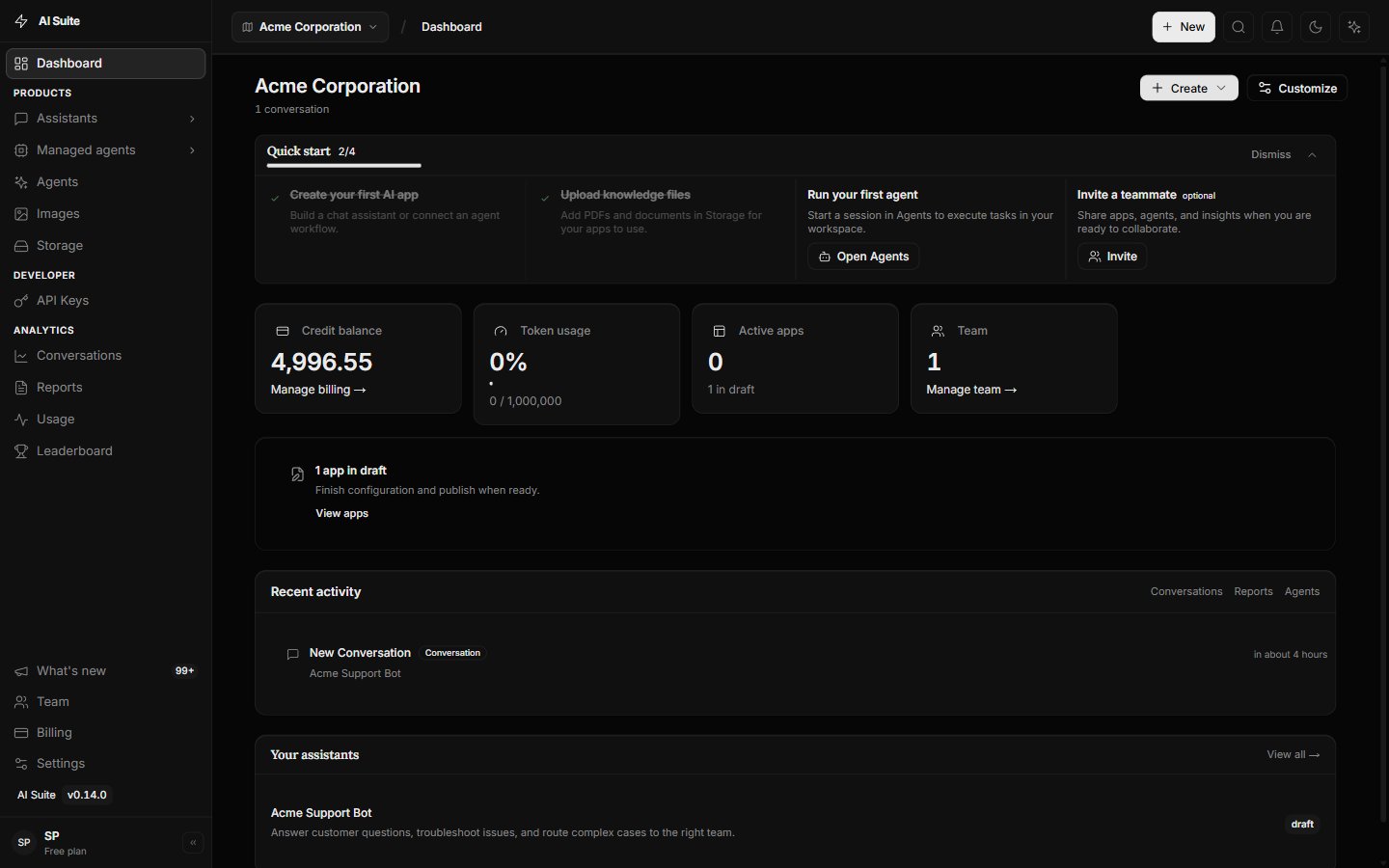 * **Workspace switcher** — if you belong to more than one workspace, switch between them here.
* **Notifications (the bell)** — updates and alerts show up here.
* **Your profile** — click your picture or initials to reach account settings and to log out.
## A handy shortcut
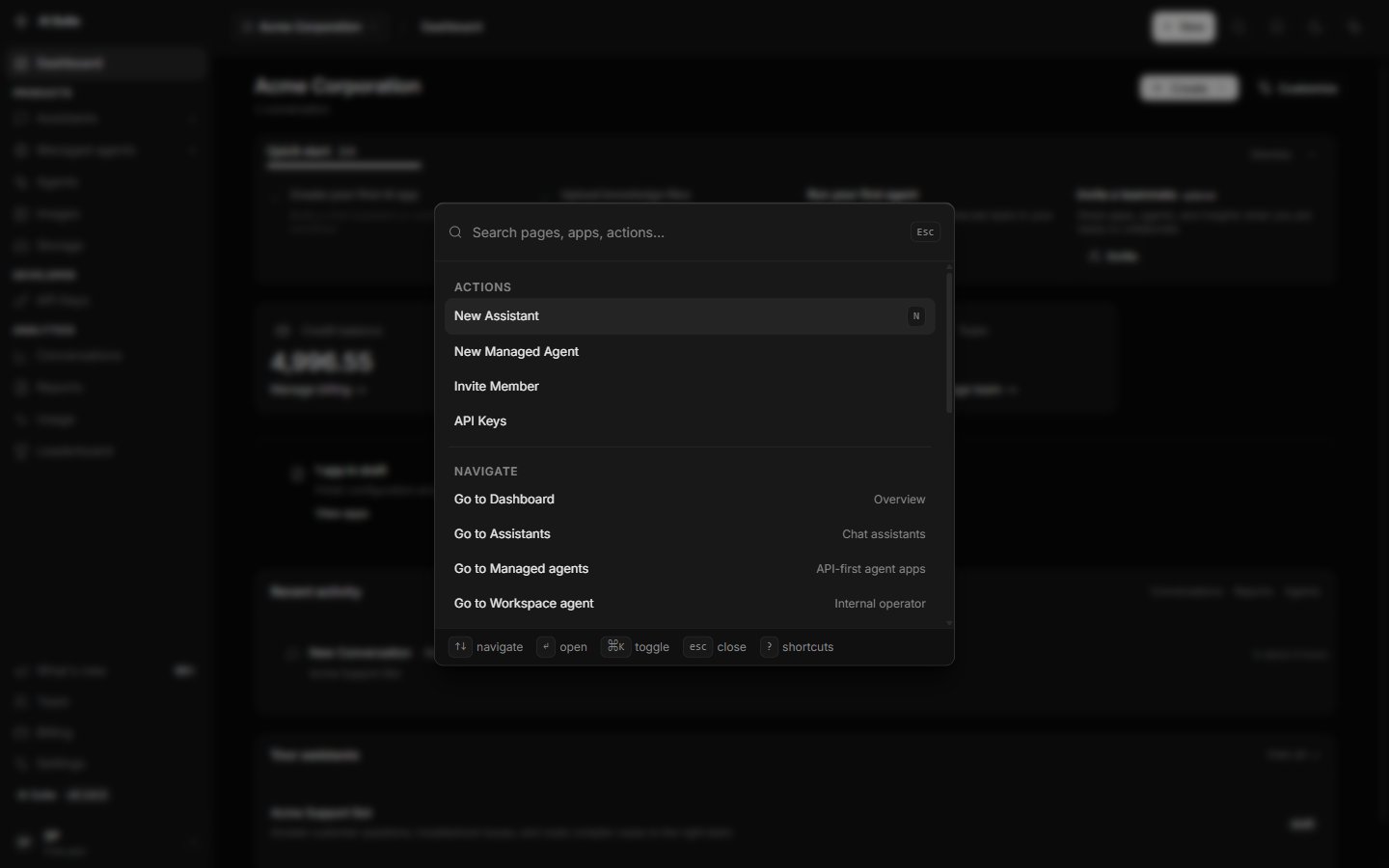
Press **Ctrl + K** (or **Cmd + K** on a Mac) anywhere to open a search box. Start typing where you want to go — like "agents" or "settings" — and jump straight there.
* **Workspace switcher** — if you belong to more than one workspace, switch between them here.
* **Notifications (the bell)** — updates and alerts show up here.
* **Your profile** — click your picture or initials to reach account settings and to log out.
## A handy shortcut
Press **Ctrl + K** (or **Cmd + K** on a Mac) anywhere to open a search box. Start typing where you want to go — like "agents" or "settings" — and jump straight there.
 ## Next step
Open Agents and get a downloadable document in a few minutes.
## Next step
Open Agents and get a downloadable document in a few minutes.