> ## Documentation Index
> Fetch the complete documentation index at: https://docs.sundaypyjamas.com/llms.txt
> Use this file to discover all available pages before exploring further.
# Meet the Agent
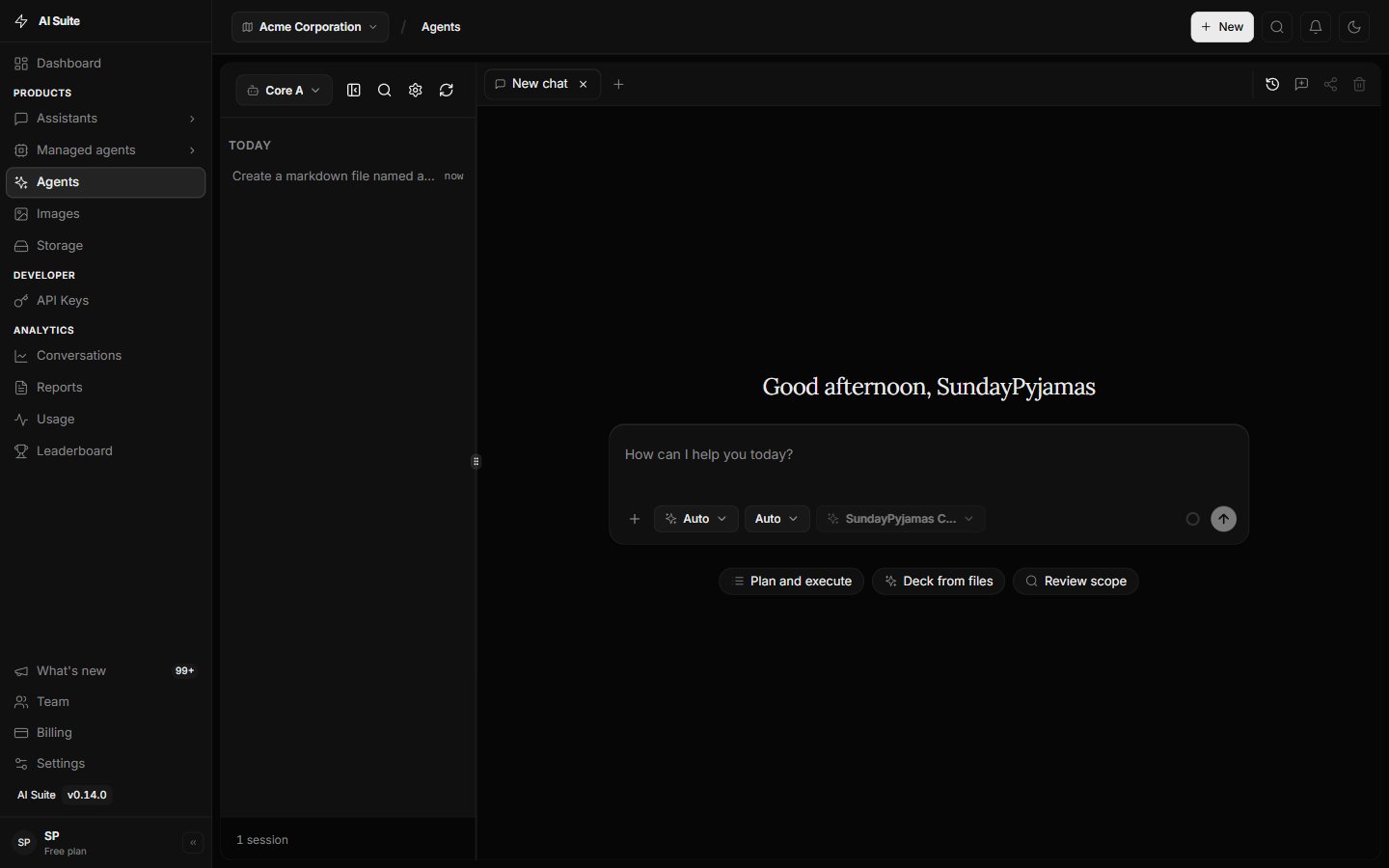
> The Agents tab is home to your Core Agent — the primary way to get work done on the AI Suite platform.
## What is an agent?
An **agent** doesn't only answer questions. It can *do things*: use tools, take several steps, and create files (documents, spreadsheets, PDFs) toward a clear goal.
> Asking a quick question in [plain Chat](/user-guide/first-chat) is like texting a knowledgeable friend.
> Working with an **agent** is like briefing a teammate who then **delivers the work**.
On AI Suite, **Agents are the primary experience**. Plain Chat and Assistants are useful extras once you're comfortable here.
## The Core Agent lives in the Agents tab
Click **Agents** in the left menu. You'll meet your **Core Agent** — built into every workspace and ready immediately. No setup required. Open the tab and give it a task.
 ## What makes the Core Agent special
Describe the outcome in plain English — the Agent plans and executes.
Produce documents, spreadsheets, and PDFs you can preview and download.
Search, look things up, and use connectors you've turned on.
Break a task into steps and work through them without you micromanaging.
Details: [What the Core Agent can do](/user-guide/agents/capabilities).
## Agent vs plain Chat
| | Plain Chat | Core Agent |
| ----------------------------- | ---------- | ---------- |
| Quick answers & brainstorming | ✅ | ✅ |
| Remembers the conversation | ✅ | ✅ |
| Creates docs / sheets / PDFs | — | ✅ |
| Uses connected tools | — | ✅ |
| Multi-step tasks | — | ✅ |
**Default to the Core Agent** whenever you want a file, a multi-step job, or tools. Use [plain Chat](/user-guide/first-chat) only for fast Q\&A.
## Custom helpers (later)
Most people stay with the Core Agent. When you want a specialist with fixed instructions, you can build an [Assistant](/user-guide/assistants). That is optional and covered under **More Ways to Work**.
## Next step
Sessions, tabs, search, and switching agents.
## What makes the Core Agent special
Describe the outcome in plain English — the Agent plans and executes.
Produce documents, spreadsheets, and PDFs you can preview and download.
Search, look things up, and use connectors you've turned on.
Break a task into steps and work through them without you micromanaging.
Details: [What the Core Agent can do](/user-guide/agents/capabilities).
## Agent vs plain Chat
| | Plain Chat | Core Agent |
| ----------------------------- | ---------- | ---------- |
| Quick answers & brainstorming | ✅ | ✅ |
| Remembers the conversation | ✅ | ✅ |
| Creates docs / sheets / PDFs | — | ✅ |
| Uses connected tools | — | ✅ |
| Multi-step tasks | — | ✅ |
**Default to the Core Agent** whenever you want a file, a multi-step job, or tools. Use [plain Chat](/user-guide/first-chat) only for fast Q\&A.
## Custom helpers (later)
Most people stay with the Core Agent. When you want a specialist with fixed instructions, you can build an [Assistant](/user-guide/assistants). That is optional and covered under **More Ways to Work**.
## Next step
Sessions, tabs, search, and switching agents.